1. Set up your points system
Select your league from your league manager start page, then tap
Format in the navigation bar.
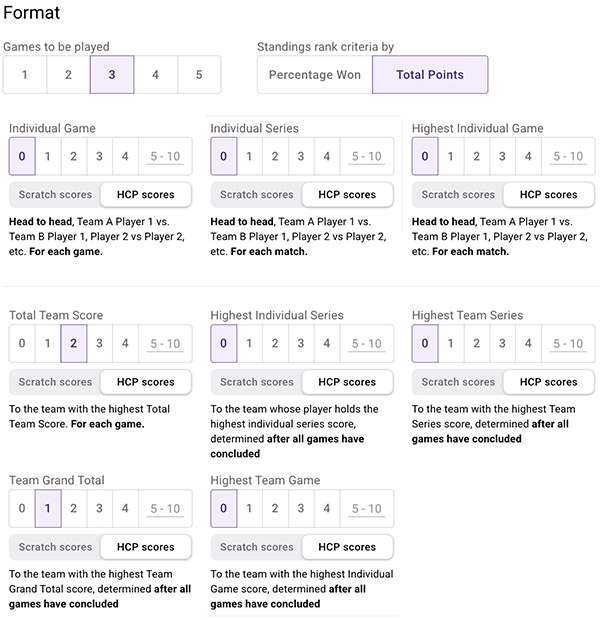
- Select the number of games that should be played (3 is default)
- Select the points system that is used in your league
- Select the points category and select if it should be based on HCP or Scratch points.
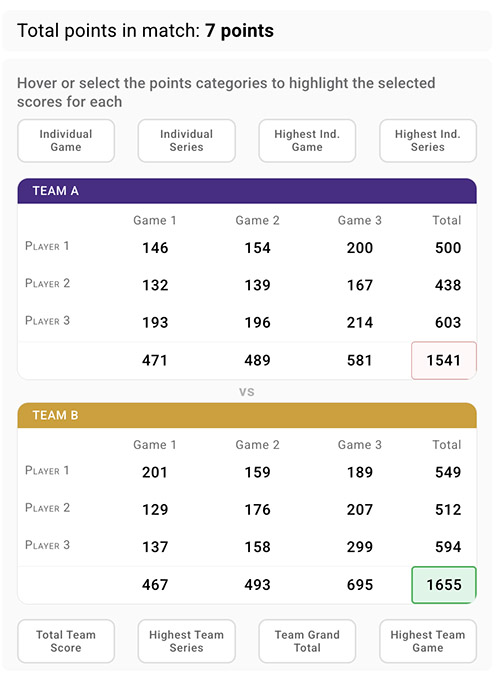
- You can hover over the options to see how the match scores are calculated on the right side of the page.
- Verify the Total match points on the right side of the page
Tap [Save changes] to save your settings.
2. Configure your rules
Tap
Rules in the navigation bar.
2.1 Entering average
Configure how long a bowler’s previous season average is used before switching to the current season average for handicap calculation.
- The Average for returning bowlers applies to bowlers who have an entering average assigned in the team/roster setup.
- The Average for new bowlers sets how many games a new bowler must complete before a first average is established, and which handicap method applies until that average exists. This applies to bowlers without an entering average in the team or roster setup.
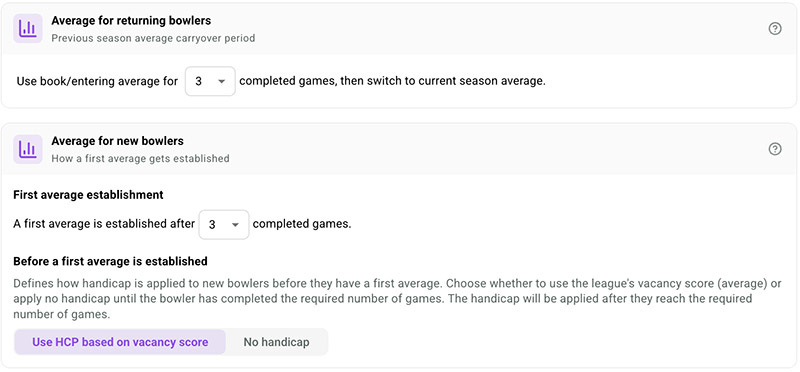
3 completed games = 1 week for most leagues.
Tap [Save changes] to save your settings.
2.2 Handicap rules
Set up how each bowler’s own handicap is calculated.
💡 Note: Uncheck the “Use Handicap switch” on the right side of the page if this is a scratch league.
Select Use handicap max points if you want the score to be max 300 including hcp.
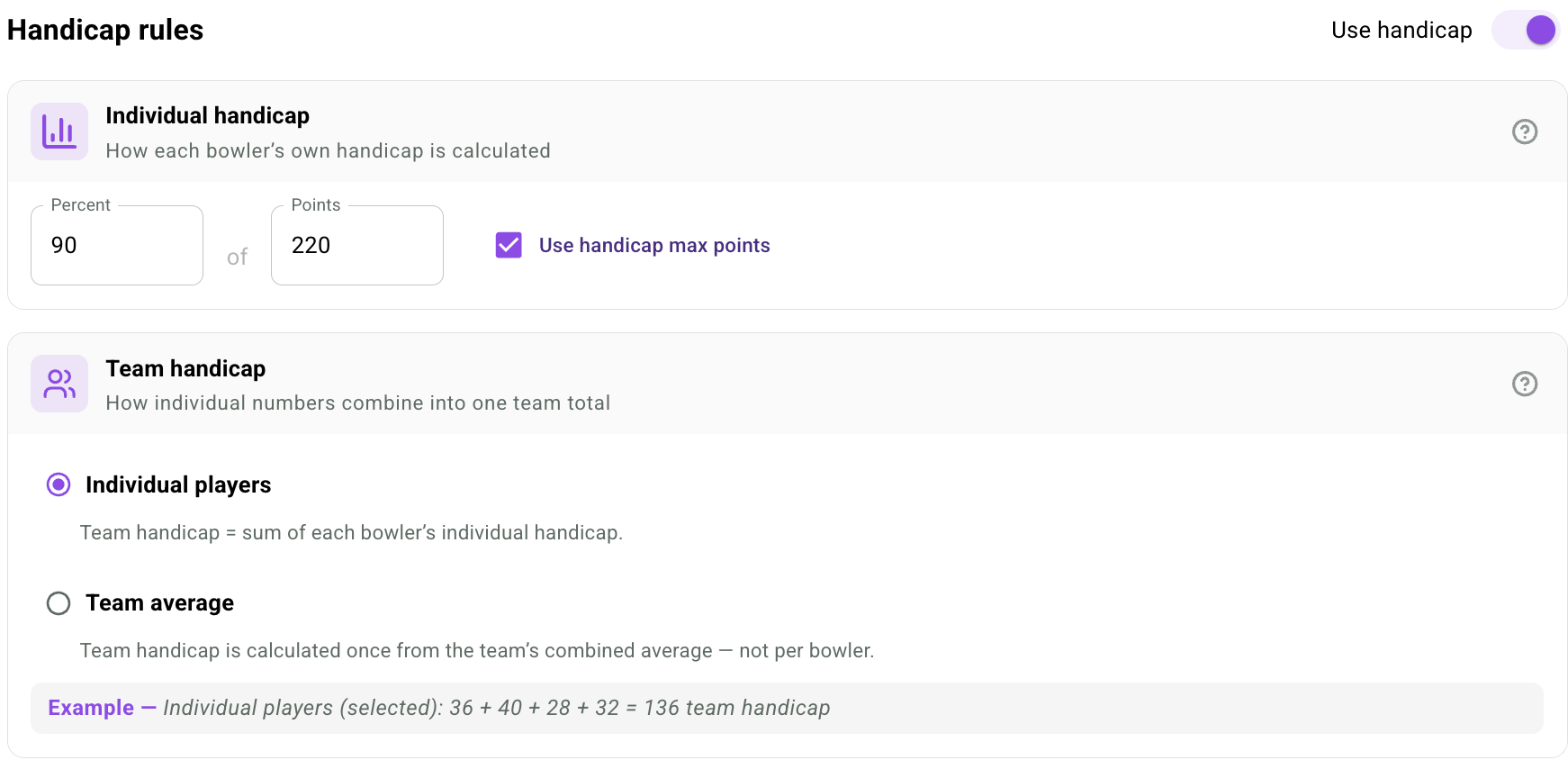
If you would like to use Team handicap, select Individual players or Team average under the corresponding heading.
💡 Note: If you only like to use individual handicap, select Individual players in the team handicap category and each player will use their individual handicap calculation.
Tap [Save changes] to save your settings.
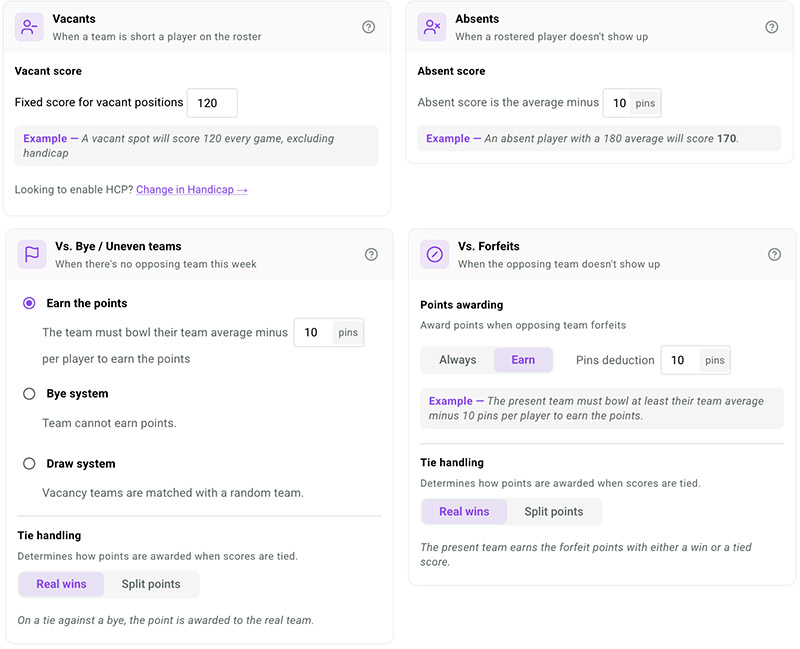
2.3 Team scoring rules when you have absents, forfeits, vacancies and byes
Configure the rules for situations where teams or individual players are not present.
Tap [Save changes] to save your settings.
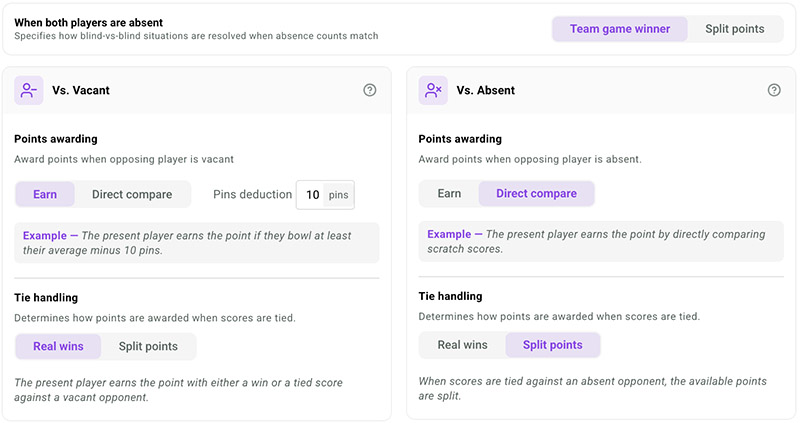
2.4 Match play scoring rules
Configure your rules for the
head-to-head / match play format.
Tap [Save changes] to save your settings.
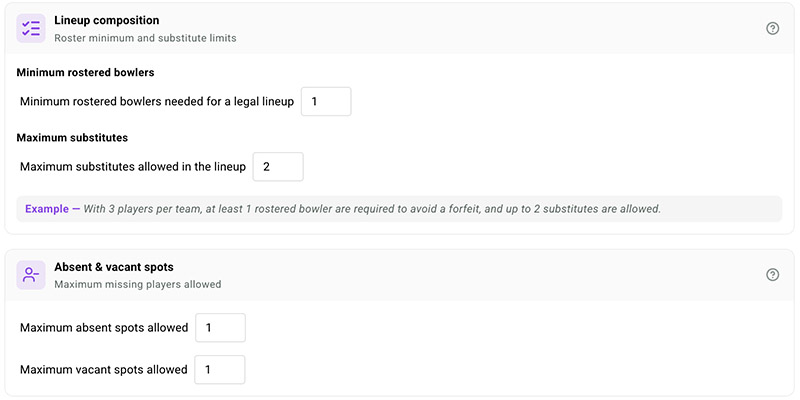
2.5 Legal lineup
Set the minimum roster requirements and limits for substitutes, absences, and vacancies needed to field a legal lineup.
Tap [Save changes] to save your settings.
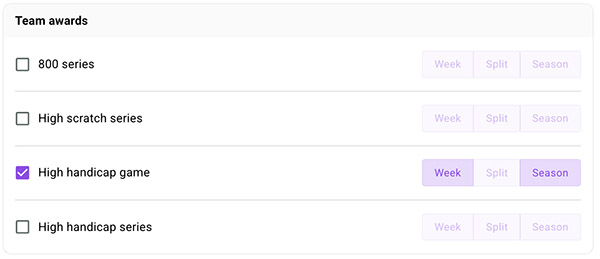
2.6 Honor and Award scores
Configure the honor and award scores for your league. Your selections define the categories displayed in reports and in the app. Select the award types you want — weekly, split, or season — and enable multiple awards per category.
Tap [Save changes] to save your settings.
3. Download or Print-out your Rules
You can print-out or download your rules. Tap on
Format in the navigation bar, then tap the [
Export league rules] button to your top right. The League Manager uses a standardized template and automatically inserts the bylaws and rules based on your league settings.
You can enter League officials, add an Introduction text and Additional policies or league information not covered by the rules setup.
Tap [Save Draft] to store your changes, then [Get PDF File] to generate a printable PDF of the rules. Learn more in this video.