Enter Book Average

To calculate individual and team handicaps correctly, each bowler must have the correct book average assigned. This guide explains how to set or update a bowler’s book average in League Manager.
There are two ways to enter a book average:
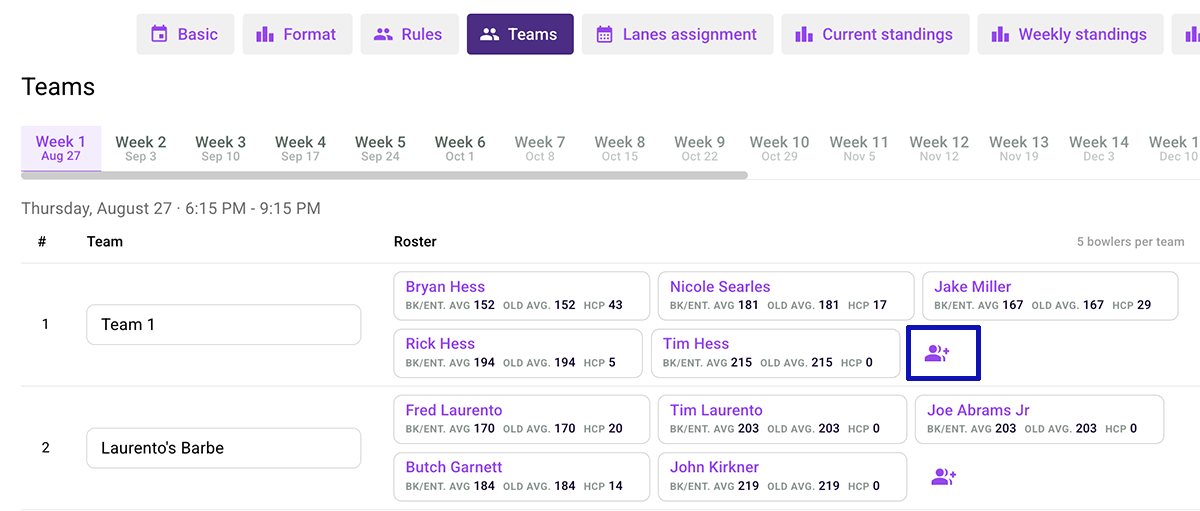
1. Open the Teams tab.
2. Click the Add New Bowler to Team icon to open the team management dialog.
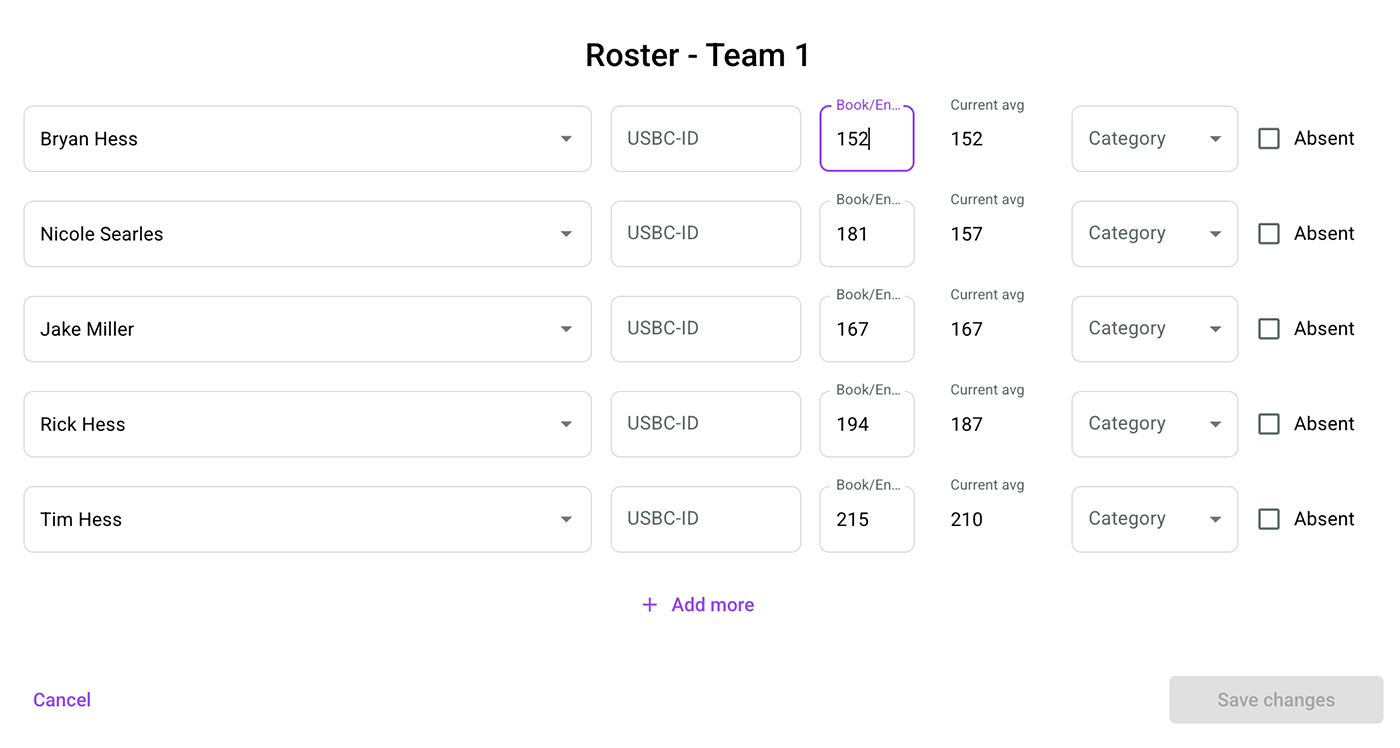
3. Enter the book average for each bowler.
4. Click Save to apply the changes.
1. Go to Weekly Standings.
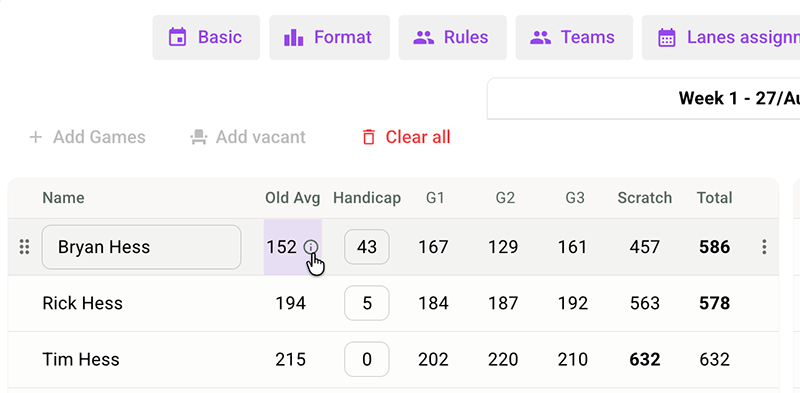
2. Scroll down to the matches and select the match you want to edit.
3. Locate the bowler and hover over the Average column.
4. Click the Info (i) icon.
5. Enter the bowler’s book average in the dialog window.
6. Press Enter or click the green icon to confirm the change.
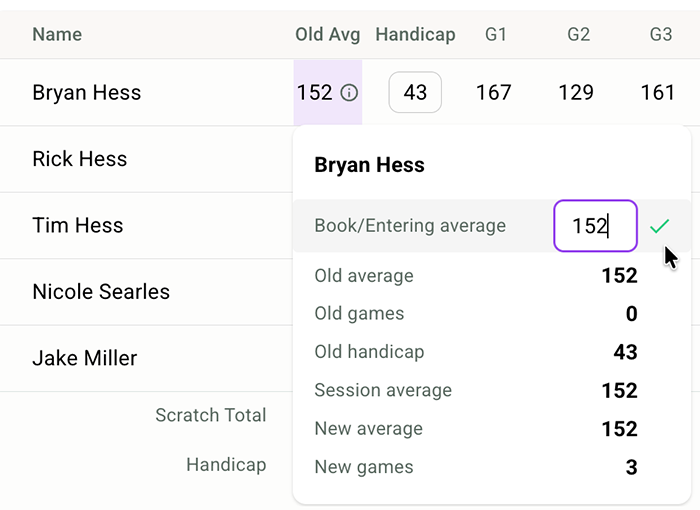
Note: Once a book average has been entered, League Manager will immediately use it to re-calculate the handicap according to the league’s handicap rules (all player games).