Schedule Position Rounds or Fun Nights

This is how you schedule Position Rounds, Fun Nights and add weeks to your league.

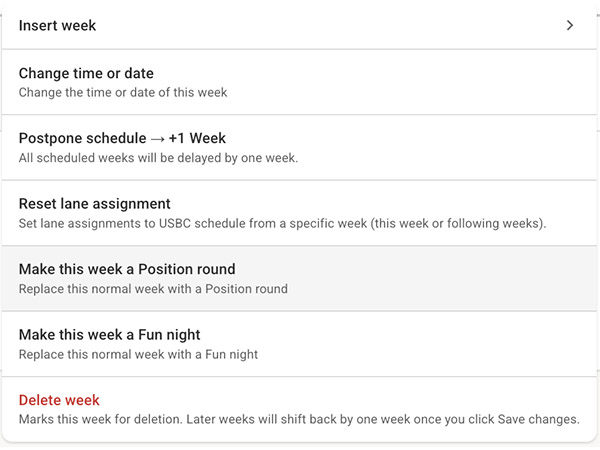
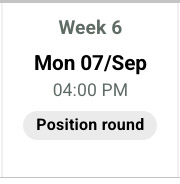
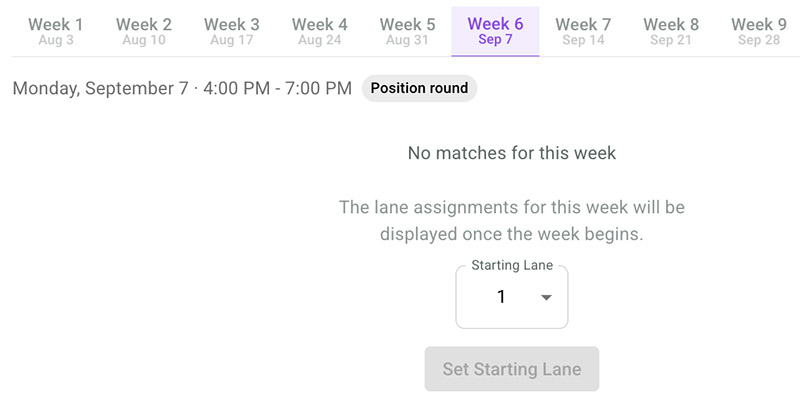
Tap the tab and select the position round week to set another starting lane for the position week than the normal one for the league.
Tap the Lane Assignment tab, then select the Position round week if you would like to assign a different starting lane than the league’s usual one.
Tap [Save changes] in the bottom of the page when you have finished your settings.
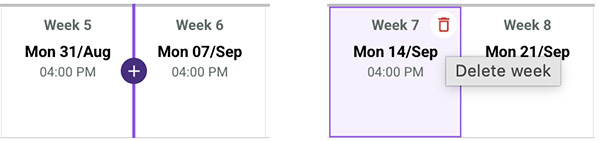
💡 Note 1: From the same week menu, you can add an extra week, remove a week, or schedule a Fun night. If you place the marker between two weeks, a plus sign will appear, allowing you to insert a new week in that position. Hover over a week and tap the delete icon to remove it. You can also add or remove weeks through the week menu.
💡 Note 2: If your league uses divisions, the Position round will automatically use the teams assigned to each division.