LANETALK - The #1 Bowling App - How To Join a Competition

Compete locally or globally – without leaving your home alley!

Joining a LaneTalk competition is easy — whether you’re a Free User or a Subscriber.
Follow the quick overview below or scroll down for the detailed steps.
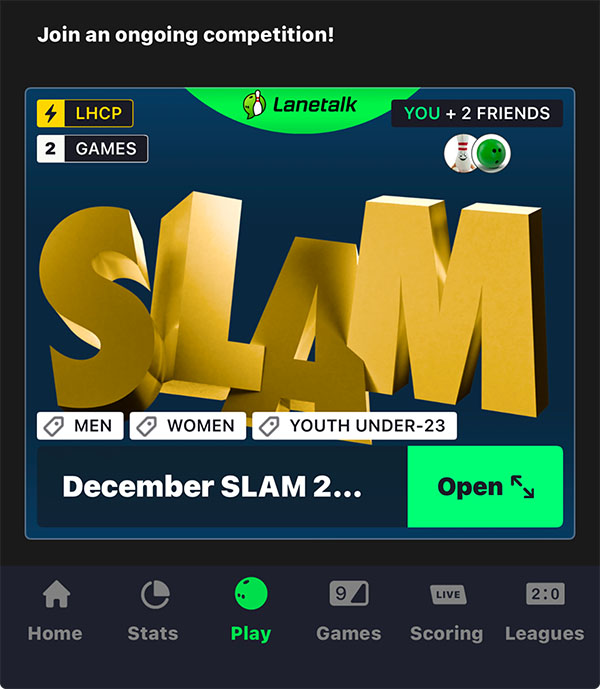
Join from your home alley!

Quick Start Guide

It’s easy to join a competition! The simplest way is through a LaneTalk‑connected host center. Your scores are automatically submitted to the platform, and you just choose which ones to use.

  • Download the LaneTalk app and sign in.
  • Go to the Play tab and select a competition.
  • Choose your bowling center and confirm the name you use on the lanes.
  • Add your games and track your progress. You’re in!

You can still join the competition even if you’re not in a LaneTalk connected host center. Use the Manual Scorekeeping feature to log your scores (requires a Pro subscription or a started Trial).


Free app user or already a subscriber?

As a subscriber, adding scores is even easier — plus you can also manually submit scores from non‑connected centers. You can start a 30‑day free trial anytime to experience all the benefits.

  • Add your games to your profile.
  • Visit the Games tab.
  • Tap the scores that you want to use.
  • Select “Use games in tournament” and select the competition.

As a subscriber; Once completed your play, you can visit the Games tab, select the competition and see the Leaderboard to follow all the action.
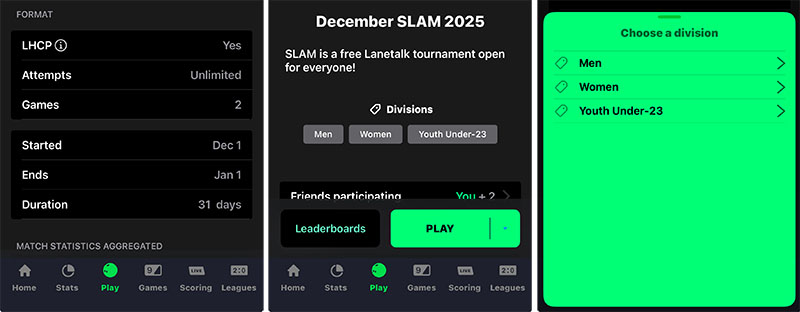
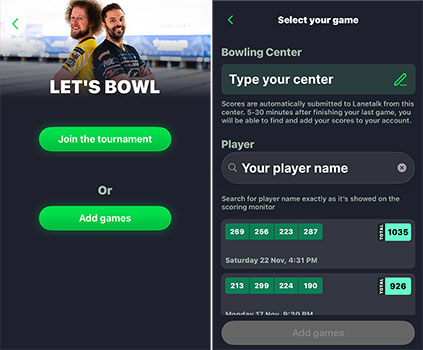
Joining as a Free User

  1. Open the LaneTalk app.
  2. Go to Play → choose your competition.
  3. Select Play, then select Add games and search for your center.
  4. Enter the player name you used on the lanes.
  5. Select your games from the list.
  6. Tap Add games to complete your entry.
  7. The selected scores will now be added to the competition leaderboard.


Joining as a Subscriber

Option A – JOIN LIVE

As a subscriber, you can add your games when you have completed them (see above) or you can join live as you are bowling. You can also join through the Manual Scorekeeping feature (see option B below).
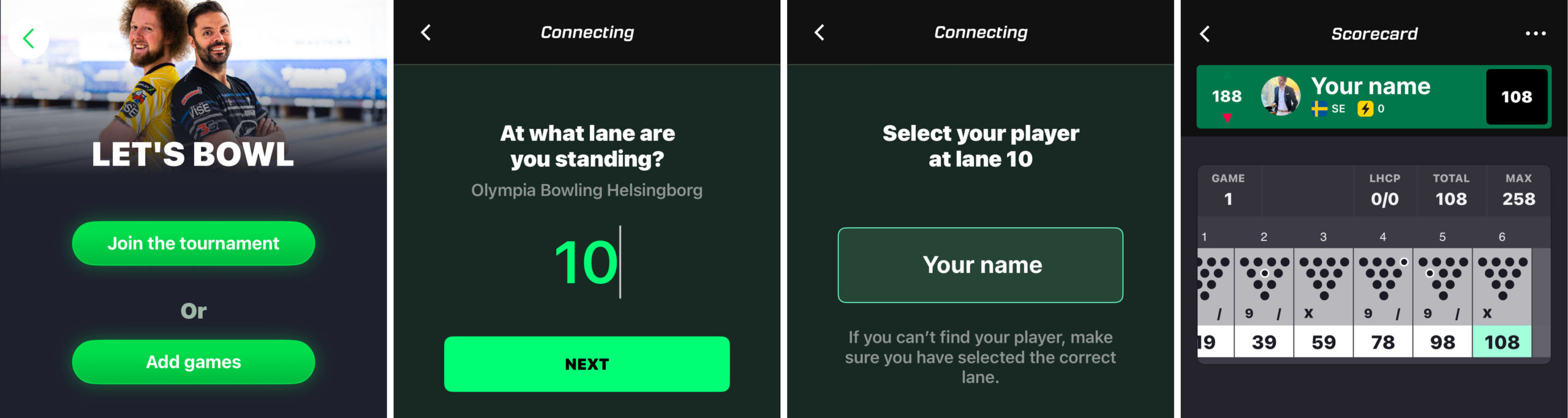
  1. Select “Join the Tournament”.
  2. Make sure that you have started your game and played 1 or max 2 frames.
  3. Select the Lane where you are bowling.
  4. Tap your player name to connect your games.
  5. Once connected, your live scores will automatically count toward the competition.


Option B – SELECT SCORES FROM YOUR GAMES TAB
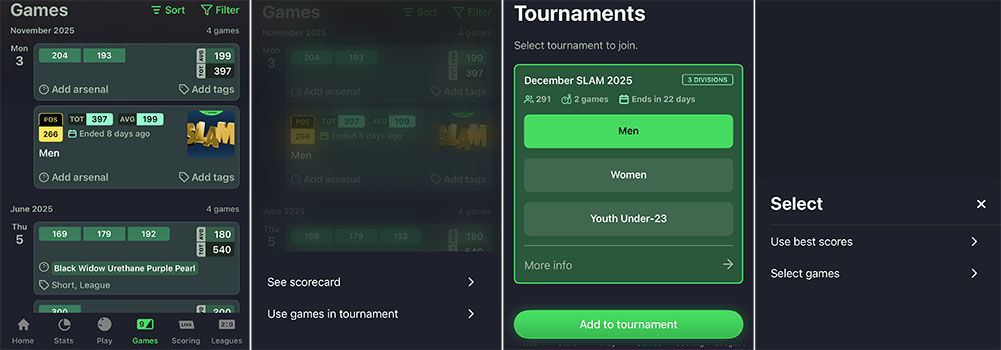
  1. Tap the Games tab.
  2. Select the game block that you want to use in the competition.
  3. Tap “Use games in tournament”.
  4. Select the Division, then tap “Add to tournament”.
  5. Select “Use best scores” or “Select games” to do a manual game selection.
  6.  

    Option C – MANUAL SCORING in non-connected centers
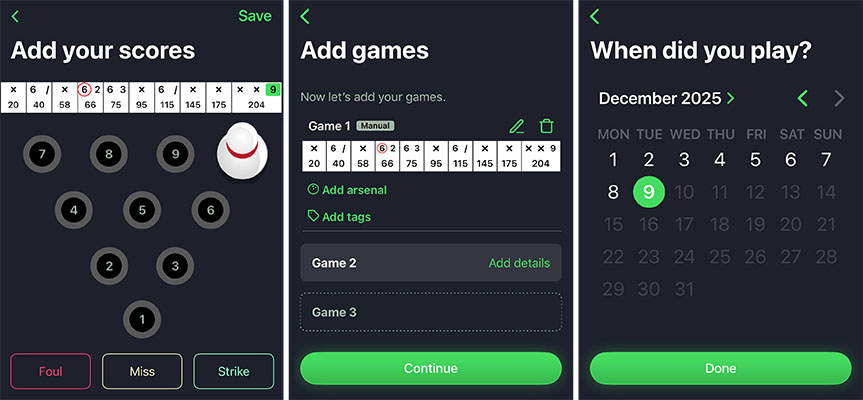
    1. Tap Play in the bottom navigation bar.
    2. Tap the Manual Scorekeeping button.
    3. Input your scores and tap Save.
    4. Add your second game and select Continue when done.
    5. Select the Date when you played.
    6. Select the Games tab to see your saved scores.
    7. Tap your selected games and then choose “Use games in tournament”.
    8. Select the competition and then the division.

    Good luck in the Competition!