TRY FOR FREE FOR A MONTH

Do you want to follow the PBA Tour and compare your scores with your favorite Pro Bowler? Download the Lanetalk app and follow the instruction below to get the Lanetalk Pro subscription for free during 30 days.


ANDROID USERS:
Download the Lanetalk app and create an account.
Tap on the Stats tab in the bottom menu.
Tap on the Settings icon in the top right corner.
Tap on the Settings button.
Scroll down and tap on Subscription.
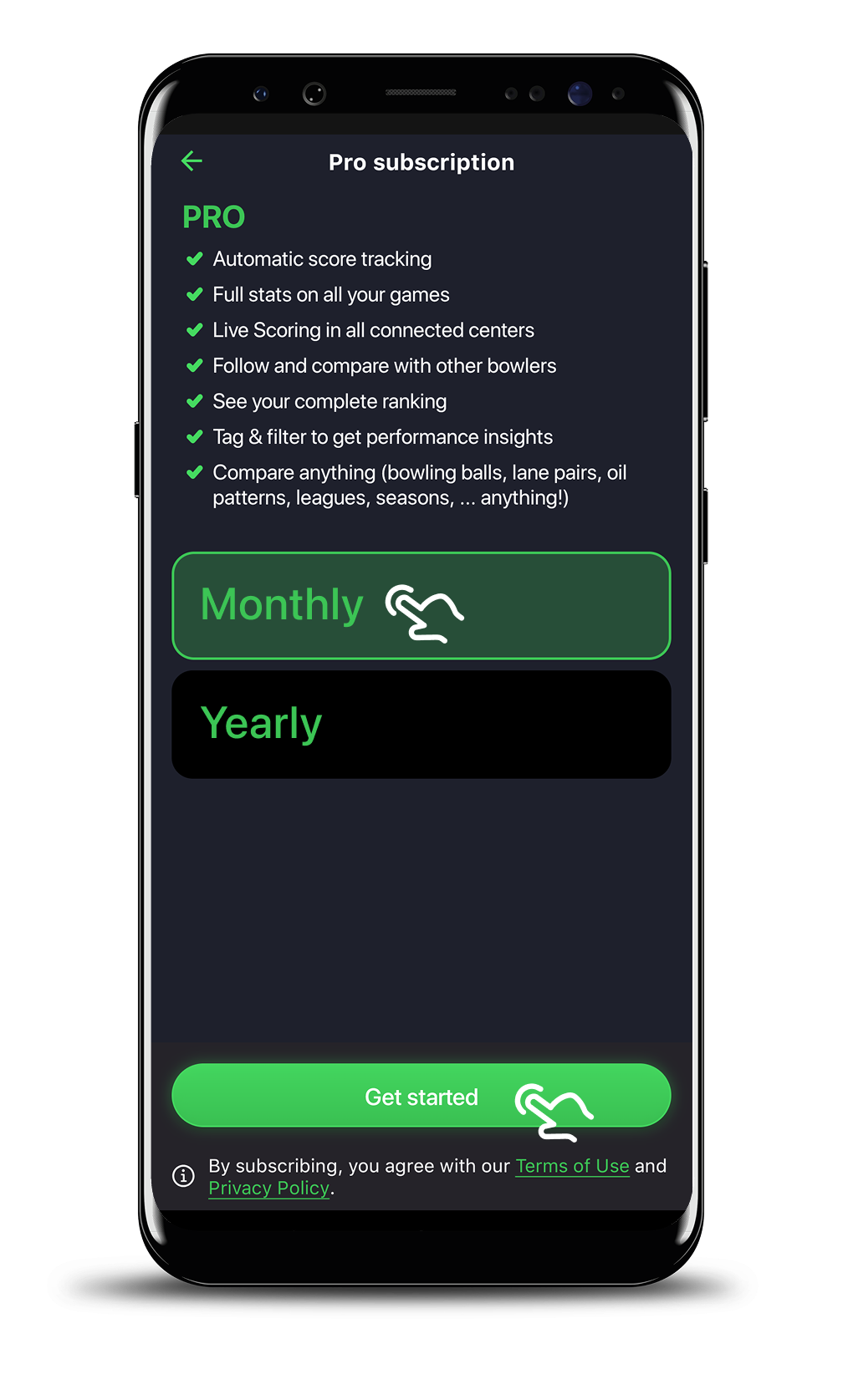
Select the Pro subscription.
Select Monthly.
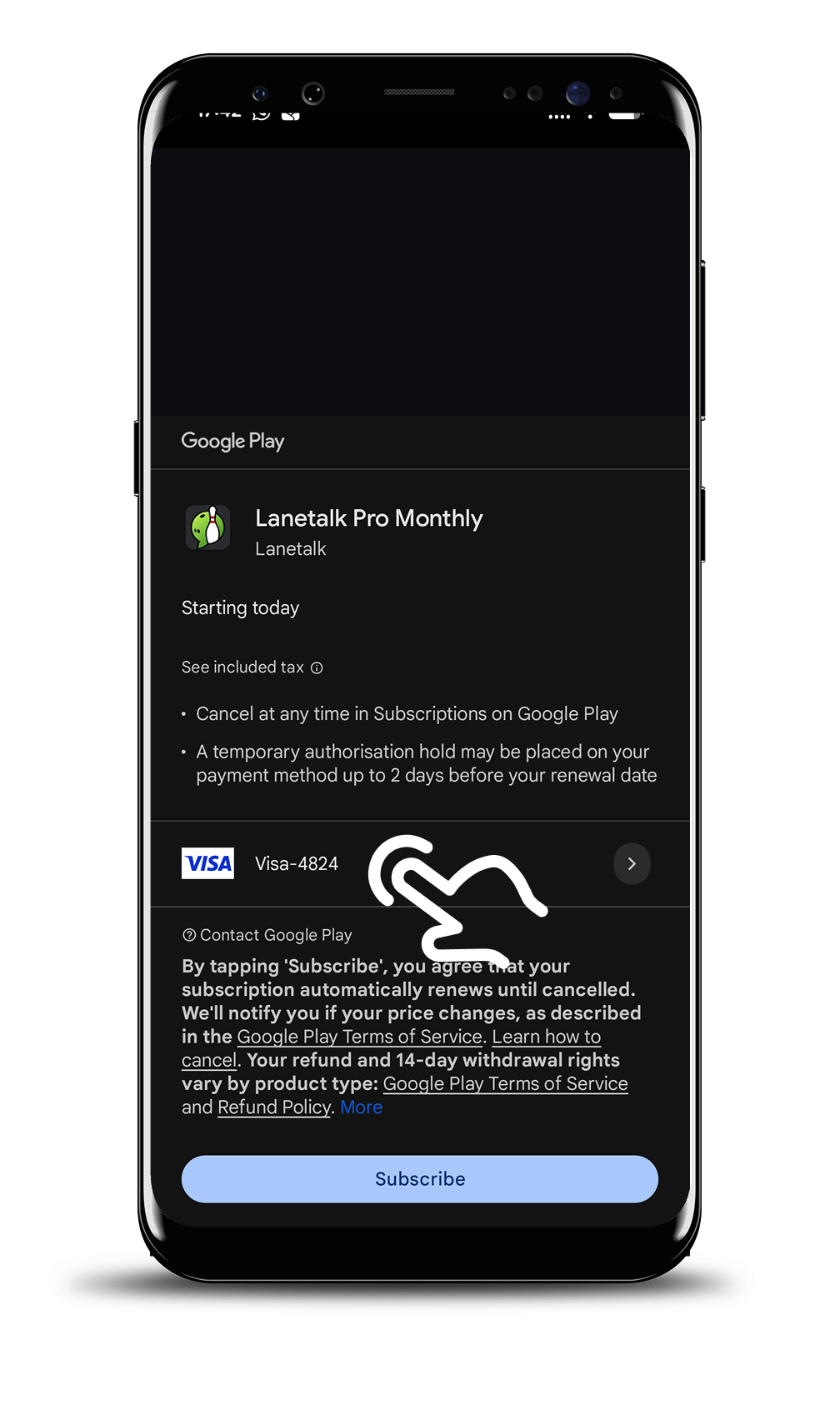
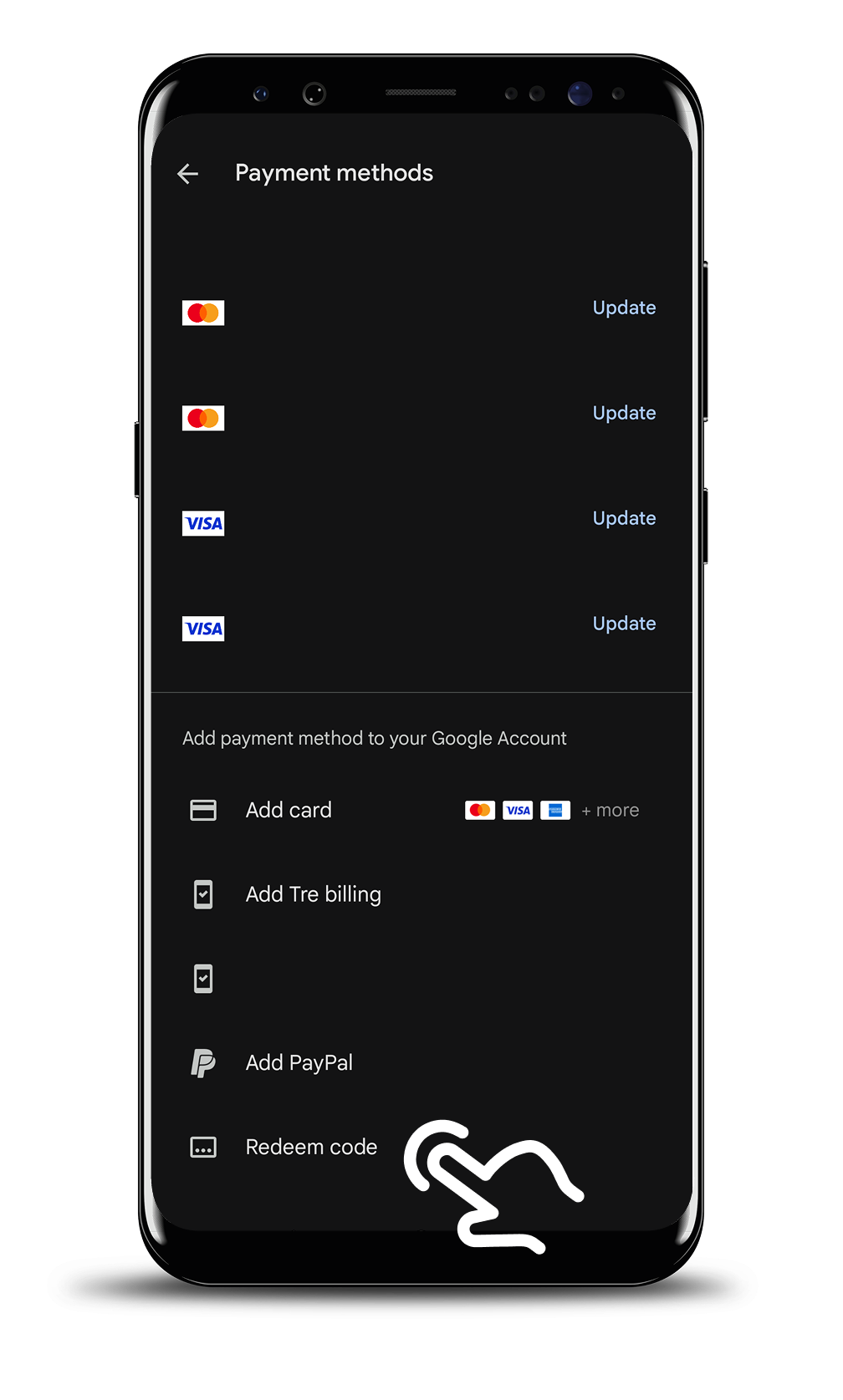
Add a Payment method (Google guidelines, you don’t need to pay).
Tap on Redeem code.
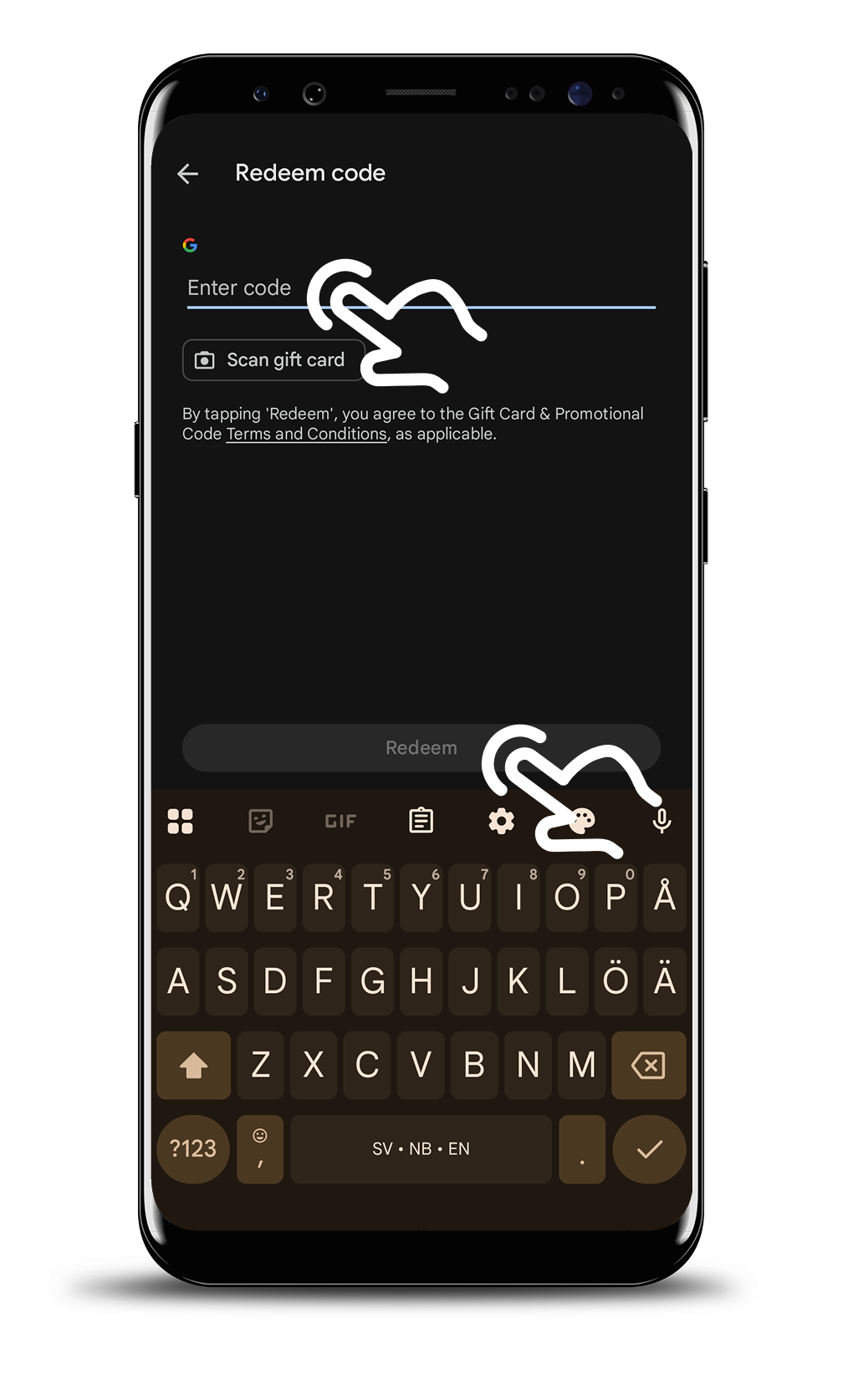
Enter the CODE to receive the free subscription.
Now you have applied the promotion discount to receive the subscription and use the premium features!
IPHONE / IOS USERS:
Download the Lanetalk app and create an account.
Tap on the Stats tab in the bottom menu.
Tap on the Settings icon in the top right corner.
Tap on the Settings button.
Scroll down and tap on Subscription.
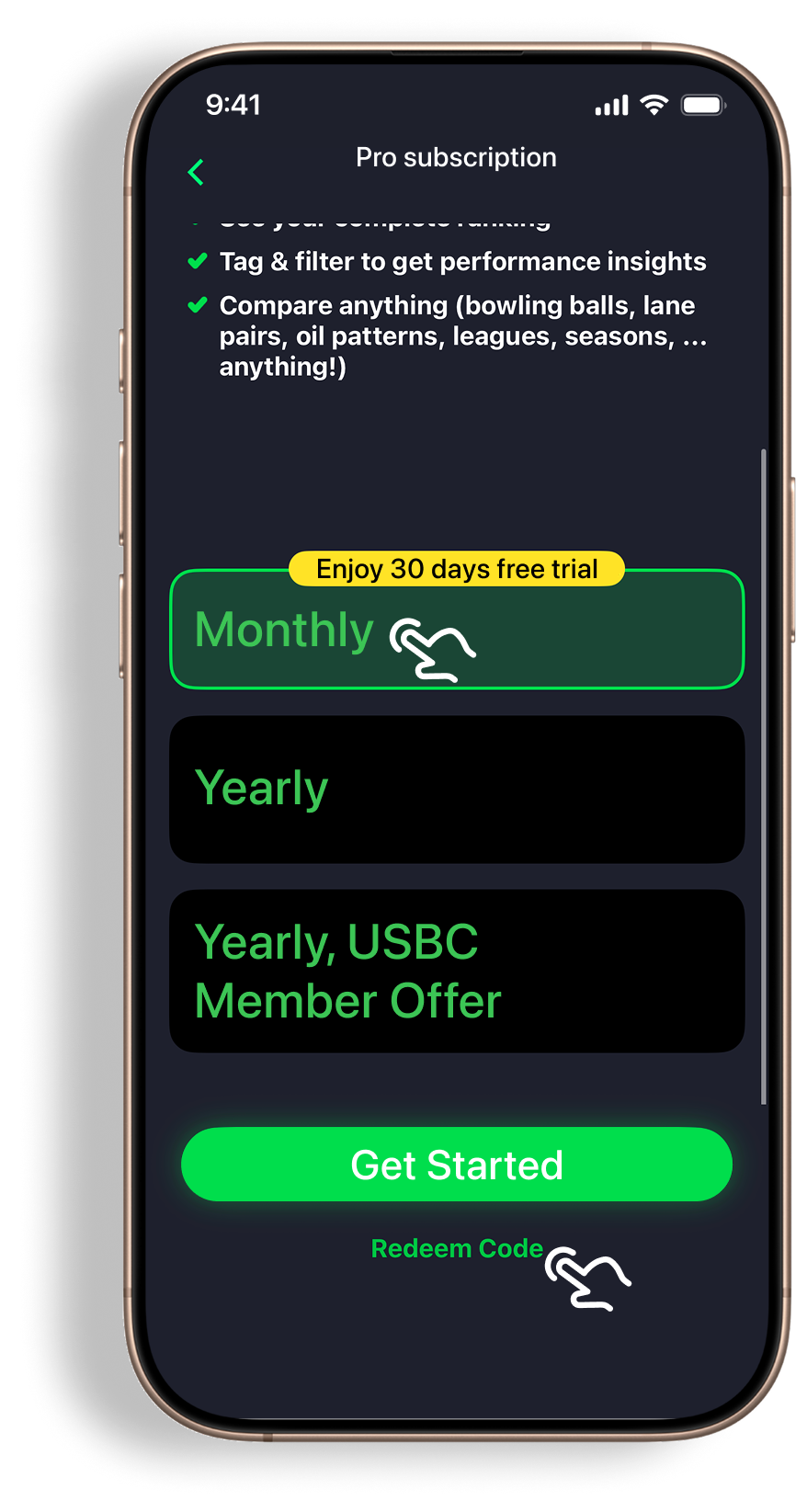
Select the Pro Subscription.
Select the Monthly option.
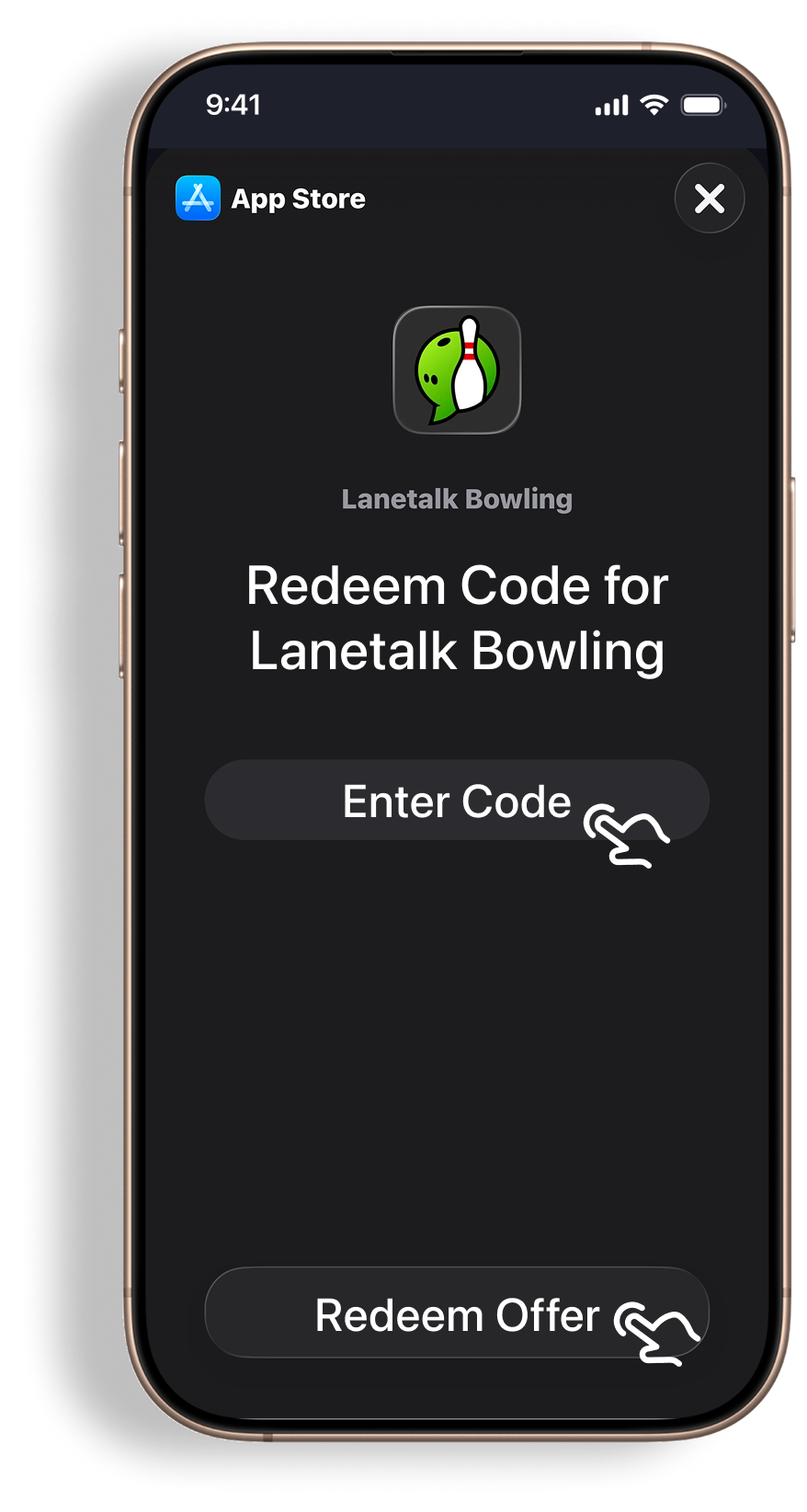
Tap on Redeem code.
Enter the Code to receive the free subscription.
Now you have applied the promotion discount to receive the free subscription and use all the premium features!
Learn more about the Lanetalk app
Click here to watch and learn more about the Lanetalk app.
Need any help?
Don’t hesitate to contact support@lanetalk.com or DM us at Facebook and Instagram.